Fix
Dyson Airwrap not turning on, heating or spinning
Published
Short answer
Most Airwrap problems come down to power, a blocked filter or technique. Check the outlet and any GFCI reset button, then unplug and clean the filter at the base of the handle, since a clogged filter can make it overheat, cut out or run cold. If hair is not wrapping, remember the barrels do not spin: the airflow wraps the hair, so check barrel direction, section size and how damp the hair is.
Dryers and stylers for this
All 6 picks compared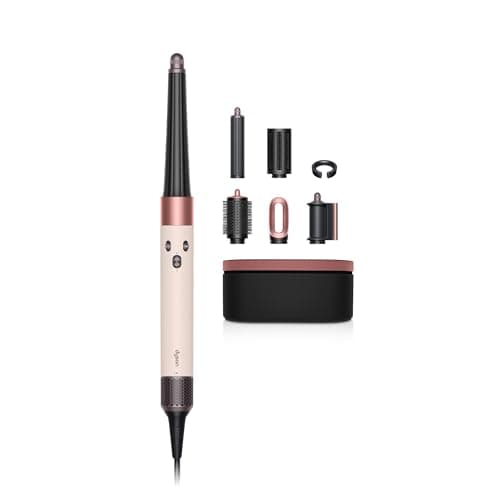
Dyson Airwrap i.d. Straight+Wavy: app-programmed curls
See price on AmazonSee it on Amazon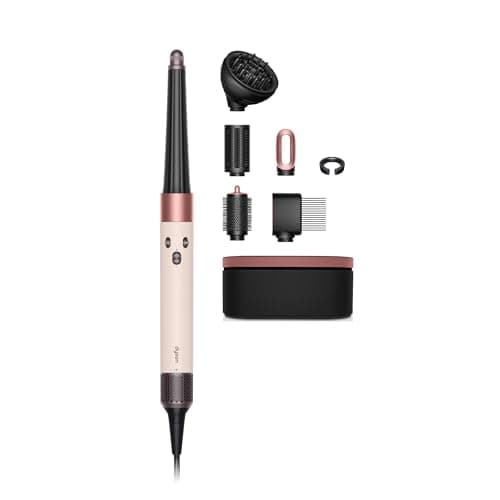
Dyson Airwrap i.d. Curly+Coily: stretch and diffuse modes
See price on AmazonSee it on Amazon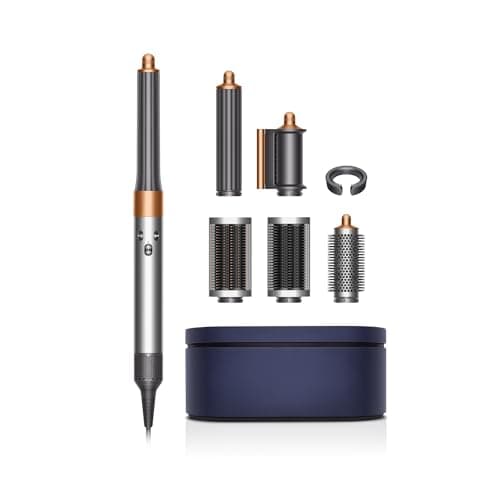
Dyson Airwrap Complete Long: V9 motor, 3 heat settings
See price on AmazonSee it on Amazon

A Dyson Airwrap costs a lot, so it is alarming when it will not switch on, blows only cool air, or stops pulling hair around the barrel. Many of these problems have simple causes you can check at home in a few minutes. This guide is for owners of any Airwrap edition, including the Complete Long, Origin and i.d. It walks through the checks in order from quickest to most involved, explains why the barrels never actually spin, and tells you when to stop and contact Dyson under warranty instead of trying more fixes.
Quick causes table
Work through the checks below in order. Most people find the cause in the first three steps.
No power, no lights
- Likely cause
- Outlet, GFCI trip, cord damage
- First check
- Try another outlet, press the GFCI reset
Turns on then cuts out
- Likely cause
- Clogged filter, overheating
- First check
- Clean the filter, let it cool
Blows cold or barely warm
- Likely cause
- Cold setting, cold shot on, heat cutback
- First check
- Check heat setting and cold shot
Lights flashing
- Likely cause
- Filter needs cleaning or a fault
- First check
- Clean filter, then contact Dyson if it continues
Hair does not wrap
- Likely cause
- Technique, barrel direction, hair too wet
- First check
- Check arrows, use smaller damp sections
Attachment loose or no airflow from it
- Likely cause
- Not seated fully
- First check
- Remove and click it back on
| Symptom | Likely cause | First check |
|---|---|---|
| No power, no lights | Outlet, GFCI trip, cord damage | Try another outlet, press the GFCI reset |
| Turns on then cuts out | Clogged filter, overheating | Clean the filter, let it cool |
| Blows cold or barely warm | Cold setting, cold shot on, heat cutback | Check heat setting and cold shot |
| Lights flashing | Filter needs cleaning or a fault | Clean filter, then contact Dyson if it continues |
| Hair does not wrap | Technique, barrel direction, hair too wet | Check arrows, use smaller damp sections |
| Attachment loose or no airflow from it | Not seated fully | Remove and click it back on |
Airwrap will not turn on
- 1
Plug a different appliance into the same outlet to confirm it has power.
- 2
Bathroom outlets are often GFCI protected. Press the reset button on the outlet, or check the GFCI outlet elsewhere on the circuit, and check your breaker panel.
- 3
Plug the Airwrap directly into the wall, not a power strip or travel adapter.
- 4
Inspect the cord along its length and at the handle for kinks, cuts or scorching. Do not use it if the cord is damaged.
- 5
Make sure you are pressing or sliding the power control fully, as shown in the manual for your edition.
- 6
Unplug, wait a few minutes and try again, in case a thermal cutout tripped.
Note.If the cord is damaged, the plug is scorched, or you smell burning, stop using the Airwrap and contact Dyson. Do not open the handle or try to repair the cord yourself.
Cutting out or not heating
The Airwrap pulls air in through a filter at the base of the handle. When the filter clogs with lint, dust and hair, airflow drops and the heater has less air to cool it. Like most hair tools, the Airwrap has protections that cut the heat or shut the tool down when it runs too hot. Dyson also lists intelligent heat control on the Airwrap, which measures airflow temperature over 40 times a second and controls the heating element.
So a dirty filter is the first thing to fix if your Airwrap turns off mid-style, blows cool, or loses power. Unplug it, let it cool, and clean the filter following the steps in how to clean the Dyson Airwrap filter. Then check the heat setting: the Airwrap has three heat settings plus a cold shot, and if the cold shot is on or the heat is at its lowest it will feel cool. See Dyson Airwrap temperature settings.
- 1Air intake and filter: keep it clean, or the dryer runs hot
- 2Motor and fan: pull air in and push it forward
- 3Heating element: warms the air as it passes
- 4Ion generator, on dryers that list one
- 5Nozzle: where attachments clip on
- 6Heat and speed buttons
- 7Cool shot button: unheated air to set the style
- 8Cord
Not spinning or not wrapping hair
The Airwrap barrels are not motorized and do not rotate. Air leaves slots along the barrel and, through the Coanda effect, follows the curved surface. That airflow pulls the hair onto the barrel and wraps it around. If you expected the barrel to turn like an automatic curler, it is working as designed.
If the hair will not wrap at all, check these points. Each barrel has an arrow showing which way the air flows; on newer barrels you can switch direction. Hair should be damp, not soaking wet and not fully dry. Sections should be small and combed smooth. Hold the end of the section near the barrel and let the air pull it, rather than wrapping by hand. Short hair may not have enough length to wrap more than once.
- 1Air slots along the barrel
- 2Airflow follows the curved surface (the Coanda effect)
- 3Barrel: set by air, so it runs cooler than a curling iron
- 4Hair: the section is drawn around the barrel and wraps itself
Flashing lights and error signs
Flashing lights on the Airwrap usually point to the filter or a fault. Clean the filter first and try again. If the lights keep flashing after a thorough clean, the tool needs Dyson support. Our Dyson Airwrap flashing light page covers this in more detail, and Dyson Airwrap keeps cutting out covers repeated shutdowns.
When to contact Dyson
If the Airwrap still will not power on with a known working outlet, cuts out with a clean filter, or shows a damaged cord or burning smell, stop troubleshooting. Dyson offers warranty support on Airwraps bought new from Dyson or authorized sellers, and registering the product makes support easier. See Dyson Airwrap warranty for what to have ready.
If your Airwrap is out of warranty and repair is not worth it, compare current editions in our best Dyson Airwrap guide or lower-cost options in Dyson Airwrap alternatives.
Frequently asked questions
Is the Dyson Airwrap barrel supposed to spin? No. The barrel stays still and the airflow wraps the hair around it using the Coanda effect.
Why does my Airwrap keep turning off? A clogged filter that causes overheating is the most common cause. Clean the filter and let the tool cool, then contact Dyson if it keeps happening.
Why is my Airwrap blowing cold air? Check that the cold shot is off and the heat setting is not at its lowest. If it is still cold, clean the filter. See hair dryer blowing cold air.
Can I reset a Dyson Airwrap? Unplugging it and letting it cool clears a thermal cutout. For anything beyond that, follow Dyson's support steps for your model.